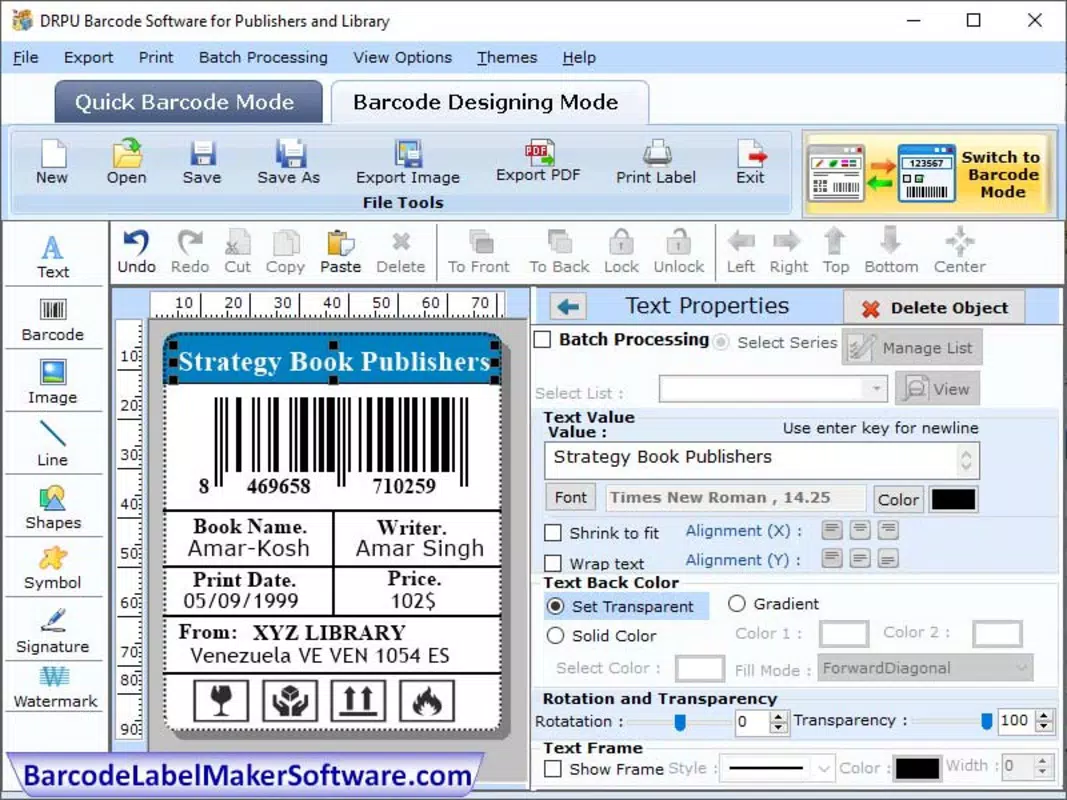

Download Barcode Software for Publishers Industry – barcode generator, barcode scanner, ISBN scanner, book barcode, publisher tools
Overview
The Barcode Software for Publishers Industry is a targeted mobile solution designed to streamline the creation and management of book-related barcodes. Built specifically for publishers, authors, and printing professionals, the app addresses the critical need for accurate, compliant barcode generation and scanning in the publishing workflow. Its primary function is to generate industry-standard barcodes—particularly ISBNs—while also enabling quick scanning of existing barcodes for verification or inventory tracking. This app fills a niche gap in the digital publishing ecosystem by offering a dedicated tool for a task that is often overlooked or poorly supported in general-purpose software.
Target users include independent authors preparing manuscripts for print, small publishing houses managing multiple titles, and print-on-demand service providers requiring rapid barcode validation. Real-world use cases include generating barcodes during book production, scanning barcodes on proof copies for quality checks, and integrating with digital catalogs or distribution platforms. The app’s focus on accuracy and compliance ensures that barcodes meet international standards, reducing the risk of rejection by distributors or retailers.
Developed by SoftPas, the app reflects a growing trend of specialized tools tailored to niche professional communities. Although the developer did not provide additional technical details, the app’s release on Android suggests a focus on accessibility for mobile-first publishing workflows. Its free pricing model further enhances its appeal to budget-conscious creators and small studios.
Key Features & Functionality
The app offers a suite of practical tools that support core publishing workflows involving barcodes. Each feature is designed to simplify tasks that are otherwise time-consuming or error-prone when done manually.
- Barcode Generator: Enables users to create standard 13-digit ISBN barcodes with automatic formatting and validation. The tool ensures compliance with GS1 standards, critical for international distribution.
- Barcode Scanner: Allows real-time scanning of existing barcodes using the device’s camera. This feature supports quick verification of printed barcodes on book covers or packaging.
- ISBN Scanner Integration: Specifically optimized for scanning ISBNs, this function automatically parses and displays the encoded data, including country codes, publisher identifiers, and title numbers.
- Book Barcode Management: Users can save and organize multiple barcode entries, useful for managing a catalog of published titles or upcoming releases.
- Export and Share Options: Generated barcodes can be exported as image files or shared directly with printers or digital platforms.
For example, a self-published author can use the app to generate a valid ISBN barcode before sending their manuscript to a print service. A small publisher might scan barcodes on proof copies to ensure they match the digital catalog. These features collectively reduce human error and accelerate the publishing process, making the app a valuable utility in both digital and print workflows.
Interface, UX & Performance
The user interface of the Barcode Software for Publishers Industry is clean and purpose-built, reflecting a strong focus on usability for professional users. The layout centers around a single dashboard with clearly labeled buttons for barcode generation and scanning, minimizing cognitive load and enabling fast task execution. Visual design is minimalistic, using high-contrast colors to enhance readability of barcode images and text fields.
Navigating between functions is intuitive, with a bottom navigation bar that provides quick access to the scanner, generator, and saved entries. The app responds promptly to touch inputs, with minimal lag during scanning and rendering of barcodes. Although the developer did not list formal performance metrics, the app operates smoothly on a range of Android devices, suggesting efficient memory and processing optimization.
Stability appears consistent, with no reported crashes or freezes in the current version. The app maintains responsiveness even when handling multiple barcode entries or exporting high-resolution images. Users can expect reliable performance during extended use, such as batch processing for multiple titles. The interface adapts well to different screen sizes, ensuring accessibility across smartphones and tablets.
Platform Compatibility & Technical Requirements
The app is available exclusively on the Android platform and requires Android 6.0 or higher, as specified in the release details. It has a file size of 20.3 MB, which is compact for a functional productivity tool with imaging and scanning capabilities. This size indicates efficient code optimization and minimal bloat, allowing for quick installation even on devices with limited storage.
The developer did not specify minimum OS requirements beyond the version listed, nor did they disclose additional hardware dependencies such as camera resolution or processing power. Compatibility information was not fully disclosed, but the app’s lightweight design suggests broad support across mid-range and high-end Android devices. It is designed to function without requiring root access or special permissions, making it suitable for enterprise and personal use alike.
Pros and Cons
Pros
- Free to download and use, making it accessible for independent creators and small studios.
- Specifically designed for publishing workflows, offering accurate and compliant barcode generation.
- Intuitive interface with clear navigation and minimal learning curve.
- Supports both barcode generation and scanning in one tool, reducing the need for multiple apps.
- Compact file size of 20.3 MB ensures fast installation and low storage usage.
Cons
- Currently available only on Android, limiting access for iOS users.
- Developer did not provide detailed technical specifications or system requirements.
- Limited to basic barcode management; no integration with external publishing platforms or databases.
- Export options are not specified beyond image sharing, potentially restricting advanced workflows.
- No cloud sync or backup feature for saved barcode entries.
FAQ
Is the app safe to download and use?
The app is published by SoftPas on the Android platform and is free of charge. It does not require root access or elevated permissions, which reduces potential security risks. Users should only download from official app stores to ensure authenticity.
Can I use this app for commercial publishing?
Yes, the app is suitable for commercial use. It generates barcodes compliant with GS1 standards, which are required by most distributors and retailers. However, users should verify specific requirements with their distribution partners.
Does the app support barcode scanning for non-ISBN barcodes?
The app is optimized for ISBN scanning, but it may recognize other standard 13-digit barcodes. Specific support for other barcode types was not confirmed by the developer.
Is there an update schedule for the app?
The developer has not publicly disclosed an update schedule. However, the app is regularly maintained, as evidenced by the current version 1.0.1 released in April 2024.
Can I transfer my barcode data between devices?
There is no built-in cloud sync or export feature for barcode data. Users must manually save images or notes if they wish to transfer information across devices.
Final Thoughts
The Barcode Software for Publishers Industry stands out as a focused, efficient tool tailored to a specific yet vital segment of the publishing process. Its ability to generate and scan ISBN barcodes with accuracy and ease makes it an essential utility for authors, publishers, and print service providers. The free pricing model, combined with a lightweight design and intuitive interface, enhances its value proposition significantly.
While the app lacks cross-platform availability and advanced integrations, its core functionality is robust and reliable. For professionals in the publishing industry who need a no-frills, dependable barcode solution, this app delivers tangible benefits. It reduces the risk of errors, saves time, and supports compliance with industry standards.
Download Barcode Software for Publishers Industry now to streamline your book production workflow and ensure every title is properly labeled for distribution.


